GUI
dedrunk gui runs the camera intrinsics, Lidar-to-camera and Lidar-to-IMU
calibrations and shows their results.
dedrunk gui                      # start screen
dedrunk gui recording.mcap       # start screen with the recording filled in
dedrunk gui calibration.dedrunk  # a saved session
Running a calibration
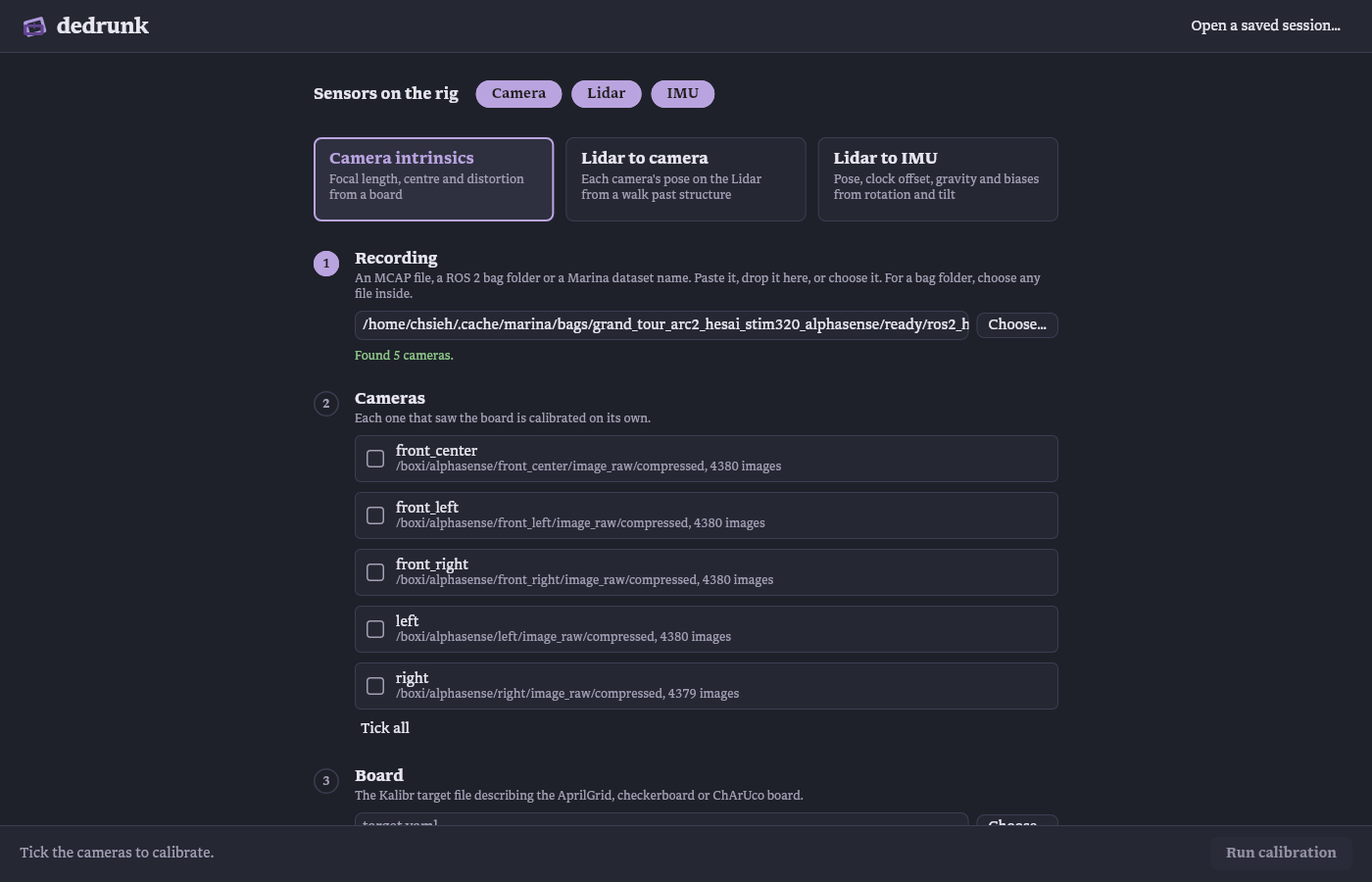
Mark the sensors on the rig, Camera, Lidar and IMU. The choice is remembered and decides which calibrations are offered: Camera intrinsics with a camera, Lidar to camera with both, Lidar to IMU with a Lidar and an IMU. Then name the recordings, cameras, target file or topics it needs. A path can be typed, pasted, dropped on the window or chosen with Choose…. Part of a Marina name lists the matching datasets. More options sets a time window and a settings file.
The bottom bar names what is still missing. During a run it shows the stage and its progress, and Cancel stops it.
Sessions
A .dedrunk session holds everything the views need, so it opens without the
recordings and can be passed on with a dataset. Save calibration writes it,
and beside it the Ratslang configuration unless that tick is cleared. Save as… writes a copy under a new name and
saves there from then on. A session opens with Open a saved session…, by
dropping it on the window, or as dedrunk gui file.dedrunk.
Lidar to camera
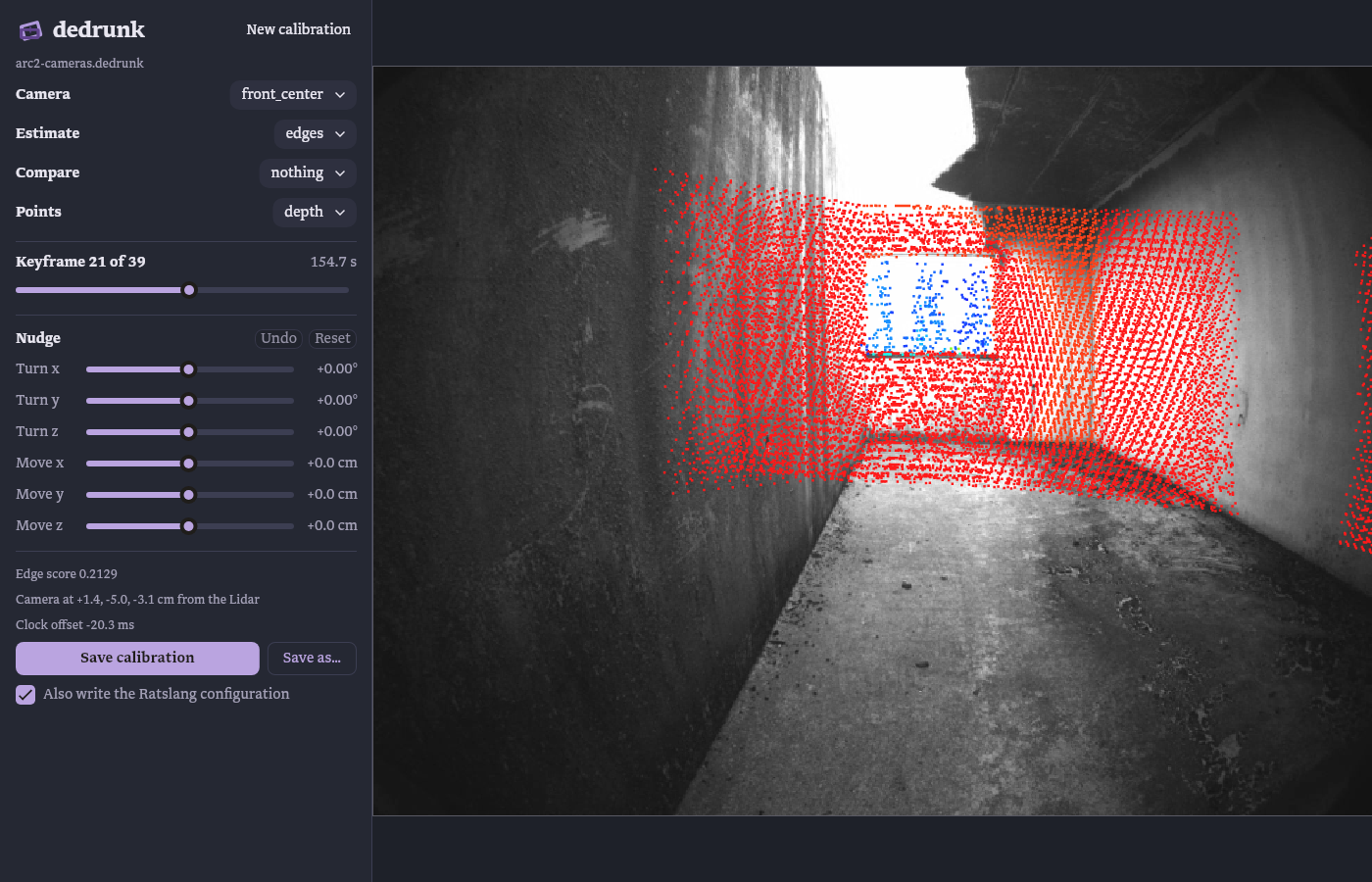
The Lidar points of each keyframe are projected into the image through the selected estimate, coloured by distance or reduced to the edge points the alignment uses. A second estimate can be overlaid for comparison. The sliders rotate and shift the transform by up to 3° and 20 cm while the edge score updates. Undo or Ctrl+Z steps back one slider change at a time, Reset returns to the estimate.
Save stores the shown transform, nudged or not, as the camera's result. A
nudged transform is kept in the session as nudged by hand.
Lidar to IMU
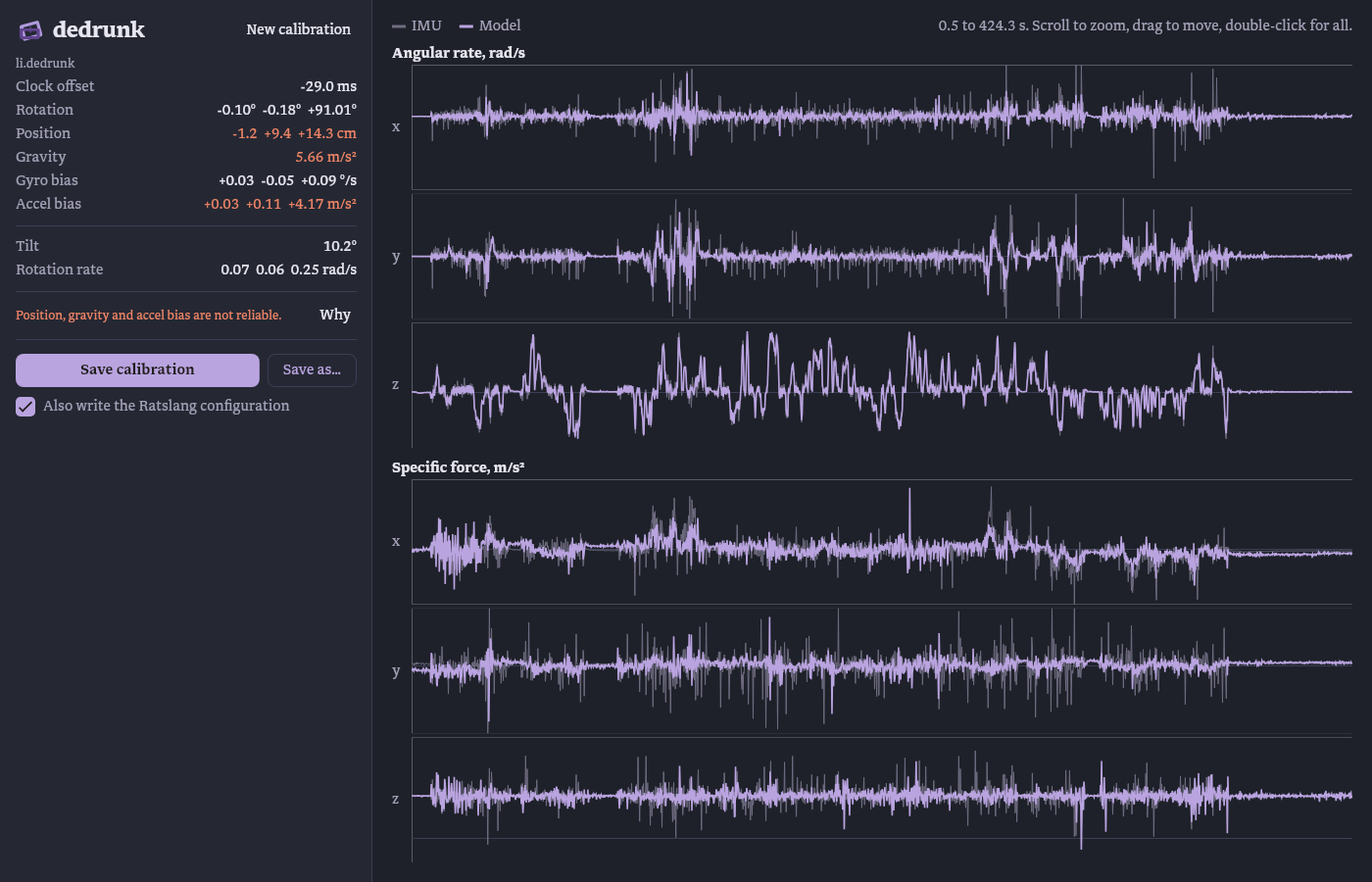
The sidebar lists the transform, clock offset, gravity and biases, and the motion's tilt and rotation rate. Values the motion did not determine are red, and Why shows the solver's reasons. The plots show the IMU's angular rate and specific force against what the trajectory and the fitted calibration predict. A wrong clock offset shows as a shift between the curves, an unexplained offset or swing as a wrong gravity, bias or lever arm.
Save writes the session and the result as Pelorus configuration,
calibration.pelorus.rl, next to it.
Camera intrinsics
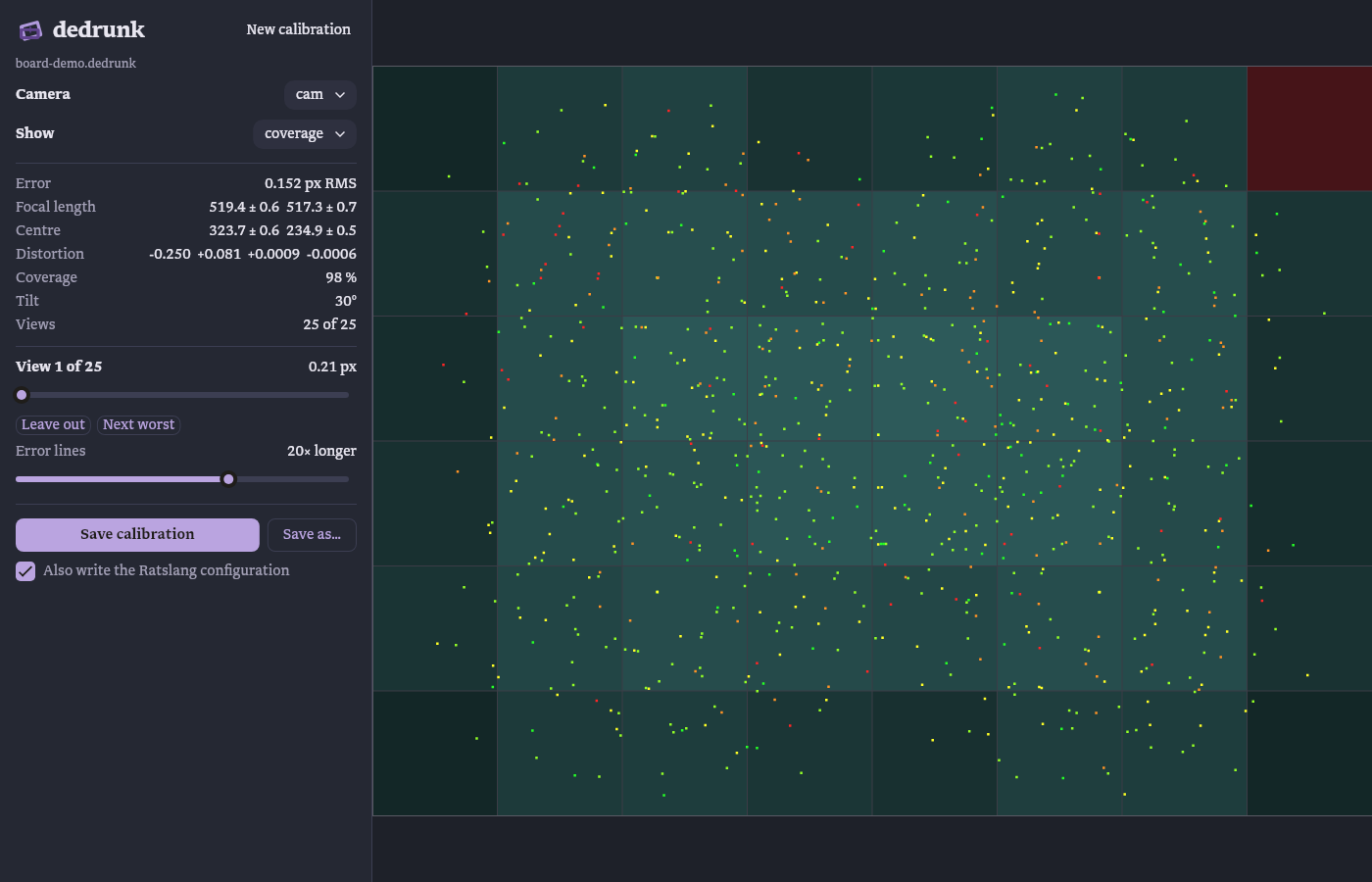
Each view shows the detected corners and their reprojection errors, scaled up by a slider. Errors pointing the same way across a region mean the lens model does not fit there. A single long one is a misdetected corner. The coverage view shows all corners of all views over the grid the coverage is counted on. Leave this view out refits without the current view.
Save writes the session and, next to it, board.camchain.yaml.
Command-line options
--camera N and --view N select the camera and keyframe shown first.
--outlines shows edge points instead of all points, --coverage the
coverage view.